Age Of War 3




A Fast, Evolving Base War You Can Learn in Minutes
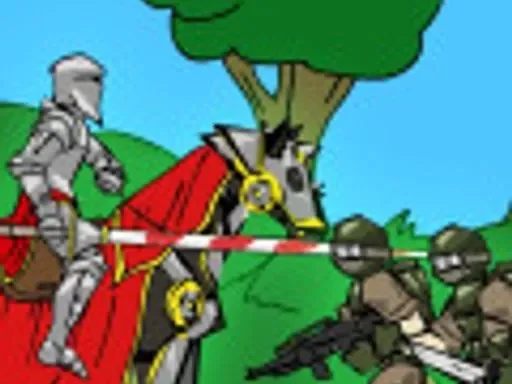
Age of War 3 is a browser strategy game centered on one core challenge: survive, scale, and out-evolve the enemy before your base collapses. A match begins with simple troops and limited options, then expands into stronger eras with more expensive units, sturdier defenses, and higher-impact powers. Because everything happens on one horizontal frontline, each decision is easy to see and easy to feel. You always know whether you are holding space, losing trades, or preparing a comeback.
That clarity makes the game approachable for new players while still rewarding deeper play. You do not need a long tutorial to get started, but better timing and cleaner spending choices clearly separate average runs from consistent wins. If you like short strategy sessions with visible momentum swings, this format works well.
How the Core Gameplay Loop Works
At a high level, every round repeats four linked actions: generate resources, deploy units, stabilize your lane, and decide when to upgrade your age. Early game is mostly about avoiding free damage while building a stable economy. Mid game introduces meaningful tradeoffs between immediate safety and long-term power. Late game tests your sequencing: the order of your purchases, your power timing, and your ability to close out without exposing your own base.
New players often make one of two opposite mistakes. Some over-defend and miss timing windows for growth. Others greed for upgrades and get punished before stronger units arrive. Strong runs usually come from balanced pacing: spend enough to stay safe, then push advantages when the lane is under control.
Playing Age of War 3 in Browser on This Site
On this site, the game loads inside an embedded player, so you can start directly in your tab without a separate launcher. Click play, wait for assets to load, and begin immediately. If performance feels inconsistent, close heavy background tabs first. Real-time timing decisions are easier when frame pacing is stable.
For longer sessions, full-screen mode helps with readability during crowded pushes. If sound distracts you, mute from player controls or your browser tab options so you can focus on lane state and spending rhythm.
Controls and Interface Habits
Most browser versions use mouse or touch-based controls. You interact through on-screen buttons for deployment, structures, upgrades, and abilities. Because of that, clean decision-making matters more than frantic clicking. A wrong purchase under pressure often costs more than a short delay.
A useful in-match routine is simple: check your current currency, scan enemy composition, then commit to one short-term plan for the next 20-30 seconds. Repeat. This prevents panic spending and keeps your strategy coherent when the pace rises.
Practical Strategy for More Wins
Open for stability, not vanity
Your first units should protect tempo and deny free base damage. Avoid overbuilding weak troops with no follow-up plan.
Spend with intent
Before buying, ask whether the purchase protects you now or sets up your next power spike. If it does neither, hold resources.
Respect age breakpoints
Right after an opponent upgrades, pressure often spikes. Keep a reserve so you can answer that window instead of collapsing to one surge.
Use defenses to buy time
Defensive structures are strongest when they support an active frontline and protect your transition plans. They are weaker when used as your only strategy.
Close carefully when ahead
Winning positions are often lost by reckless overcommitment. Keep enough economy for emergency response while applying steady pressure.
Common Mistakes and Fast Recovery
Single-unit tunnel vision: Repeating one unit type can fail hard when countered. Recovery: diversify over the next two spending cycles.
Late ability usage: Holding powers too long wastes their best impact window. Recovery: define a trigger, then cast immediately when it appears.
Blind upgrade rushing: Evolving at low stability can lose the match before your upgrade pays off. Recovery: stabilize lane first, then age up with a small resource buffer.
Ignoring chip damage: Slow base health loss is easy to miss while attacking. Recovery: spend one cycle on stabilization before resuming offense.
Context and Why This Formula Lasts
The broader Age of War style became popular in the Flash browser era because it combined simple controls with a strong progression fantasy. The era-upgrade arc still feels satisfying today: primitive units gradually give way to advanced forces, and each transition creates new tactical decisions. Portal versions and related entries keep that identity alive by preserving short match flow and high readability.
That is also why this game works well for repeat sessions. You can finish a run quickly, identify one bad decision, and immediately test an adjustment in the next match. The feedback loop is short, which makes improvement feel concrete.
Frequently Asked Questions
Is Age of War 3 free to play in browser?
On most web game portals, yes. You can usually launch and play directly in-page without installing extra software.
Do I need keyboard controls to play well?
Usually no. Most versions are designed around mouse or touch input through on-screen action and upgrade buttons.
What should I target to win each match?
You must destroy the enemy base while protecting your own. Resource timing and lane control are the keys to doing that consistently.
Should I always upgrade age as soon as I can afford it?
Not always. Fast upgrades are strong only when your current defense can hold long enough for the new tools to matter.
Why do big unit waves still lose sometimes?
Numbers alone are not enough. Poor timing, weak composition, or bad value trades can make large pushes ineffective.
How can a beginner improve fastest?
Track three things every match: where your currency went, when you used powers, and whether your age upgrades were timed safely.


Comments
Loading comments…